
As of December 15, 2025, MetaMask has officially rolled out native support for Bitcoin (BTC), marking a significant milestone in its evolution toward becoming a truly multichain wallet. Previously focused primarily on Ethereum and Ethereum Virtual Machine (EVM)-compatible networks, MetaMask now allows users to manage Bitcoin directly alongside assets on Ethereum, Solana, and other supported chains, all within a single, unified interface. This integration enables seamless buying, swapping, sending, and receiving of native BTC, eliminating the need for separate wallets or wrapped tokens for basic holding and transactions.
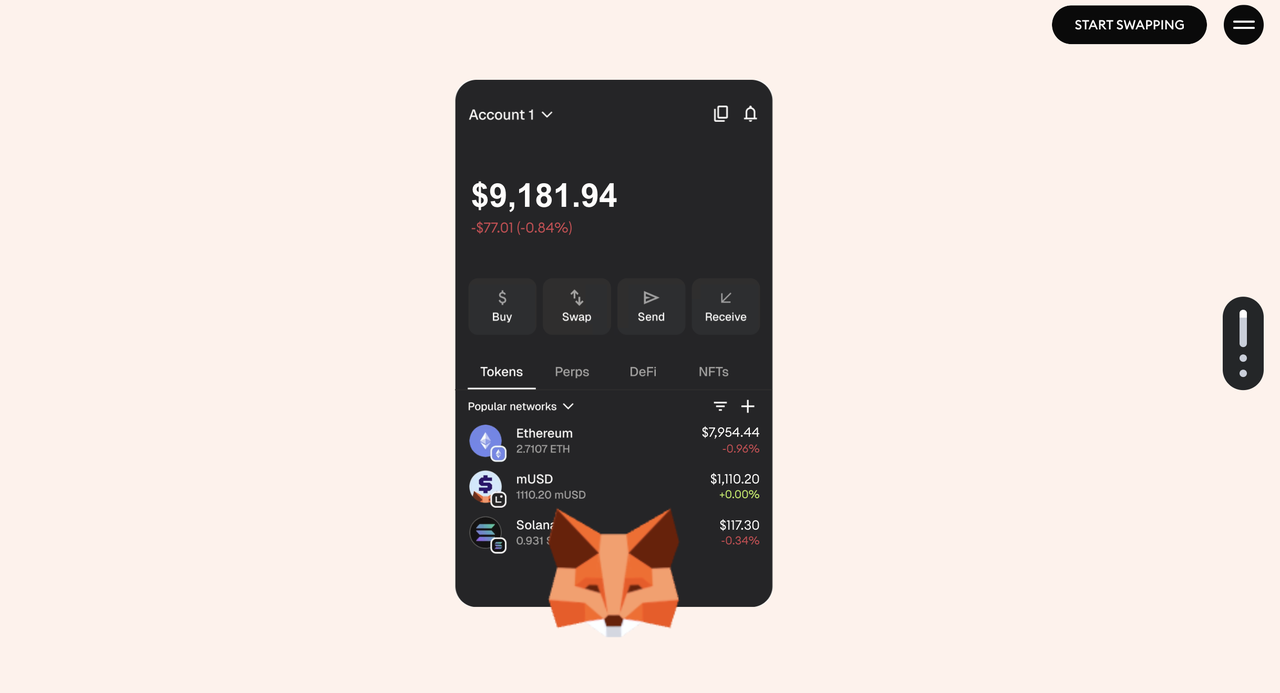
Source: MetaMask
Meanwhile, Bitcoin's growing role in DeFi through Layer-2 solutions and wrapped assets has driven the Bitcoin ecosystem total value locked (TVL) to approximately $6.88 billion in 2025 according to DefiLlama. With over 30 million monthly active users, this update positions MetaMask as a more comprehensive tool for cryptocurrency management, bridging the gap between Bitcoin's pioneering network and the broader Web3 ecosystem.
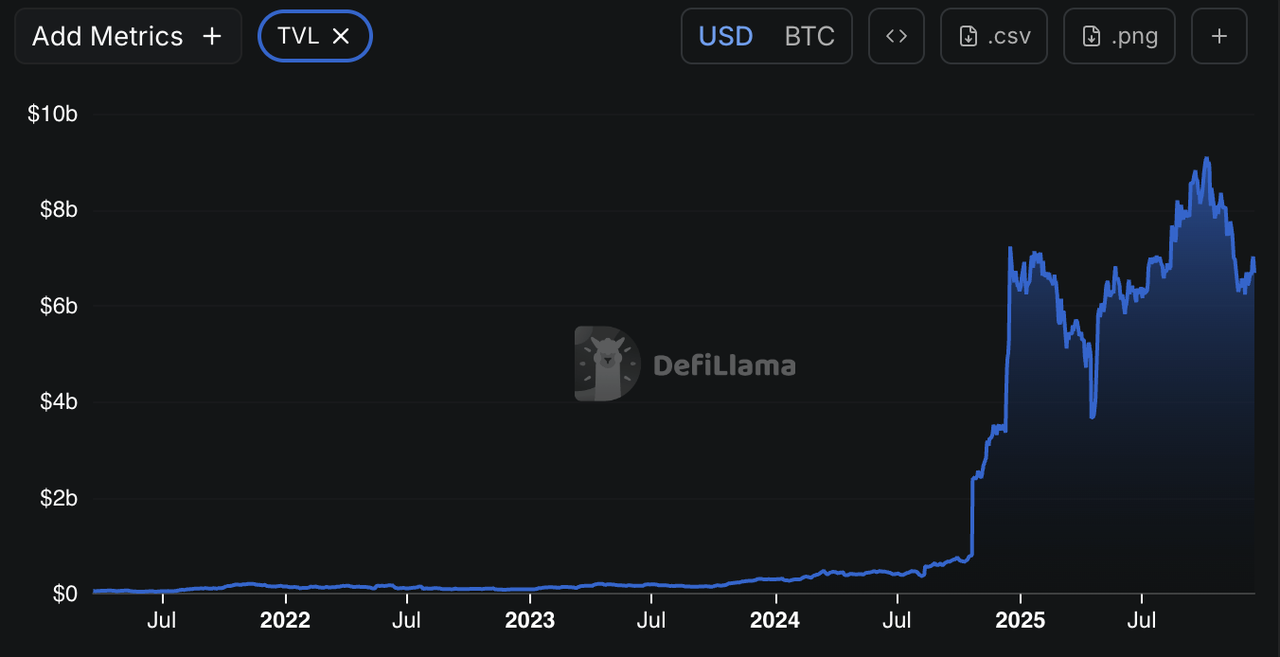
Source: BTC TVL DefiLlama
What Is MetaMask Web3 Wallet?
MetaMask is a leading self-custodial cryptocurrency Web3 wallet developed by Consensys, available as a browser extension and mobile app. Launched in 2016, it initially served as the primary gateway to the Ethereum blockchain and decentralized applications (dApps), allowing users to store, send, and receive Ether (ETH) and ERC-20 tokens. Over time, MetaMask has expanded to support multiple EVM-compatible networks, such as Polygon, Arbitrum, and Optimism, and, more recently, non-EVM chains like Solana and even Bitcoin.
MetaMask offers a robust set of key features that enhance its functionality as a self-custodial wallet, including secure management of private keys and Secret Recovery Phrases, built-in tools for swapping, buying, and bridging assets, seamless integration with decentralized applications (dApps) for activities such as DeFi, NFTs, and more, as well as multichain account structures that automatically derive addresses for different networks from a single seed phrase. With the addition of native Bitcoin support, MetaMask now derives Bitcoin addresses (initially Native SegWit) automatically for each account, further enhancing its utility as an all-in-one wallet.
MetaMask's Integration Enables Bitcoin (BTC) Support on EVM-Compatible Networks
Bitcoin and Ethereum operate on fundamentally different blockchains with incompatible architectures. Bitcoin's network is designed primarily for secure, peer-to-peer value transfer, while Ethereum supports smart contracts and programmable applications via the Ethereum Virtual Machine (EVM).
As a result, native BTC cannot be sent directly to an EVM-compatible address (or vice versa) without losing funds permanently. To use Bitcoin-like assets on EVM chains, users traditionally rely on wrapped Bitcoin (ex. WBTC or cBTC), which are ERC-20 tokens backed 1:1 by actual BTC held in custody. These wrapped versions enable BTC holders to participate in DeFi on Ethereum or other EVM networks.
However, with MetaMask's new native Bitcoin integration, users can now hold, send, and receive actual BTC on the Bitcoin network directly within the wallet, no wrapping required for core Bitcoin operations. This provides the best of both worlds: pure BTC management for holding and transfers, alongside wrapped options for EVM-based activities.
How to Add and Manage Bitcoin on MetaMask Wallet: Step-by-Step Guide
MetaMask's Bitcoin support uses a multichain account structure, where a Bitcoin address is automatically generated for new or existing accounts. Currently, it supports Native SegWit addresses, with Taproot support planned for the near future.
Step 1: Update your MetaMask Wallet and Access Your Bitcoin Account
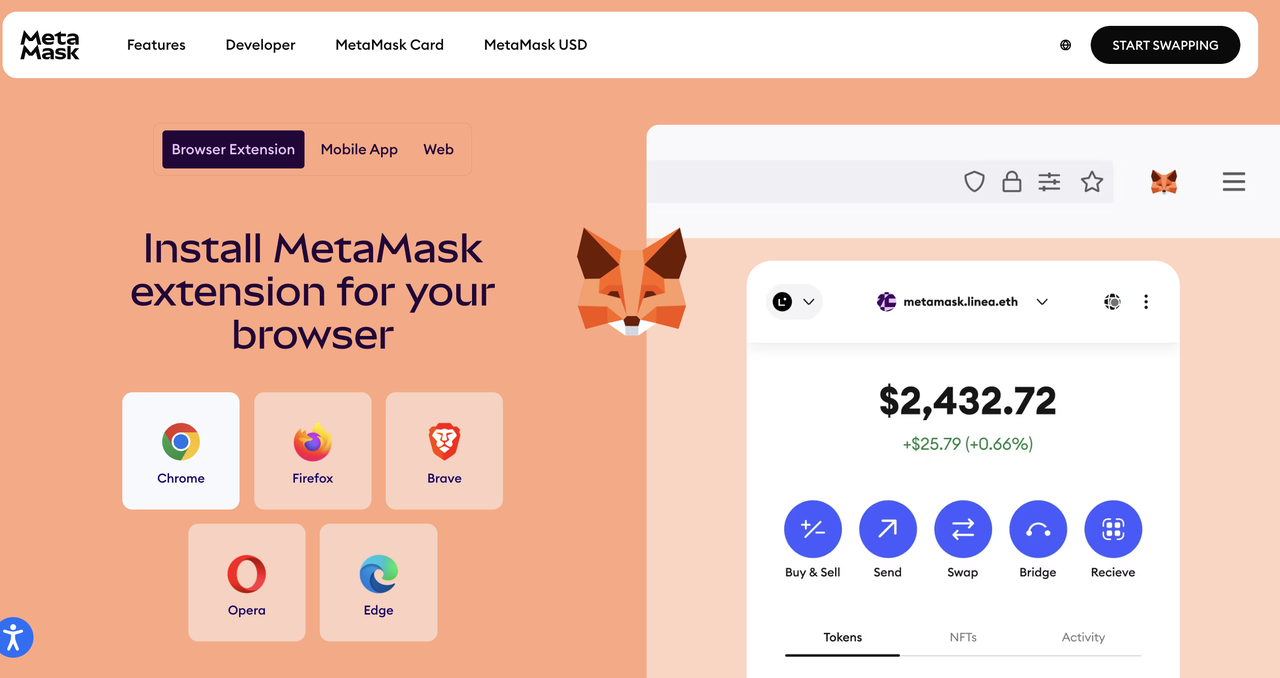
• Ensure you have the latest version of MetaMask (extension or mobile app). Download the MetaMask app from the App Store or Google Play. For iOS users, the MetaMask mobile app can be downloaded here and for Android users, the mobile app can be downloaded here. Wondering how to set up a MetaMask wallet? Look no further than our guide.
• When you create a new account or use an existing one, a Bitcoin address is automatically derived and available.
• Note: Bitcoin transactions are slower than those on Ethereum or Solana. Monitor progress in the Activity tab.
Step 2: Import an Existing Bitcoin Account
• Locate your 12- or 24-word Secret Recovery Phrase (SRP) from your current Bitcoin wallet (ex. Leather or Electrum). The wallet must use the Native SegWit derivation path for compatibility.
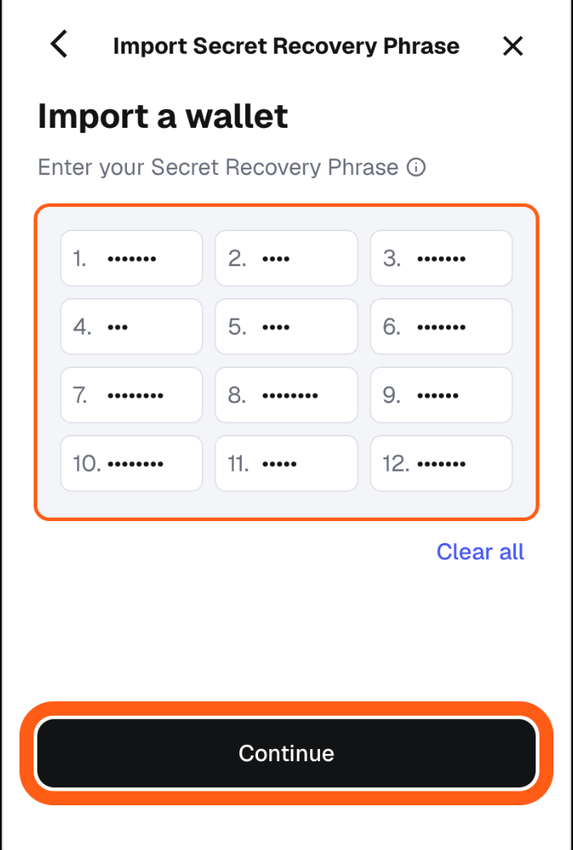
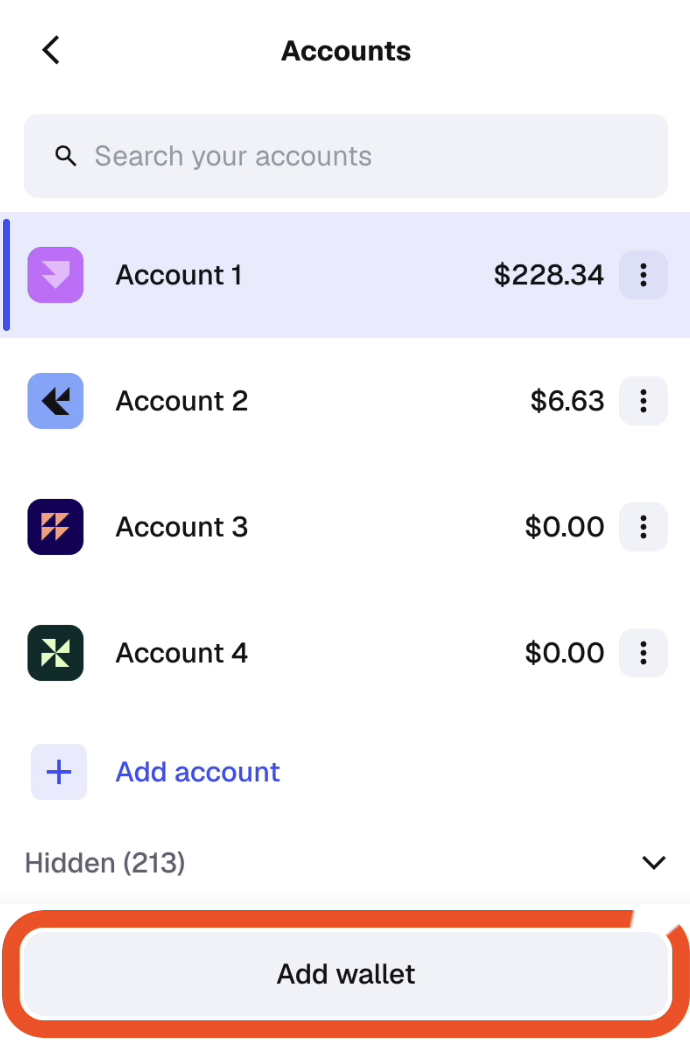
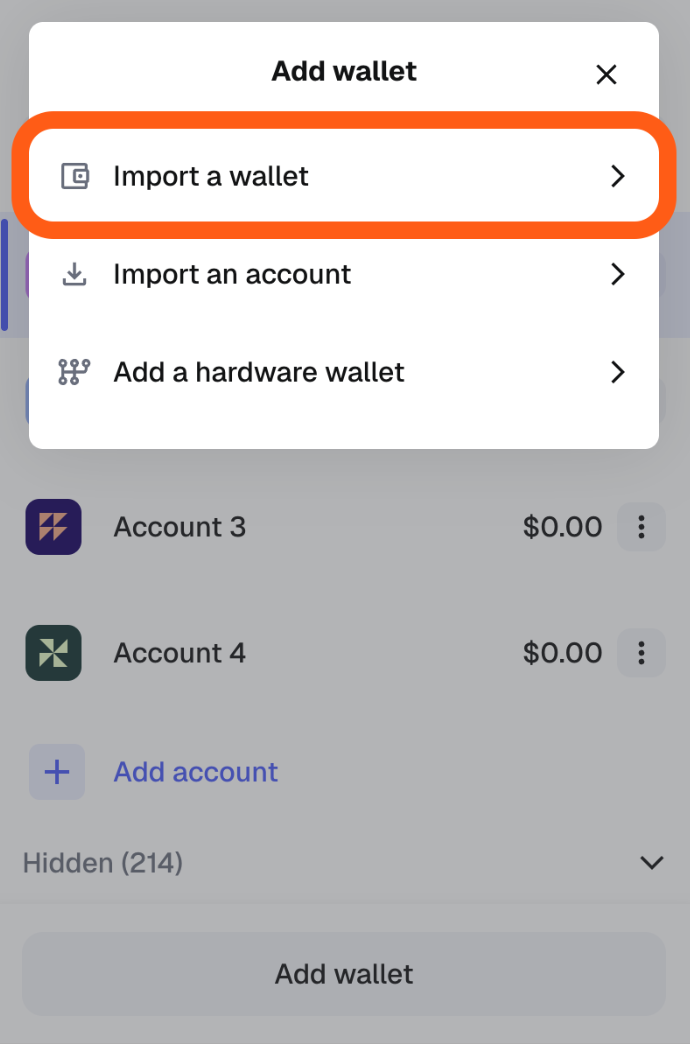
• In MetaMask:
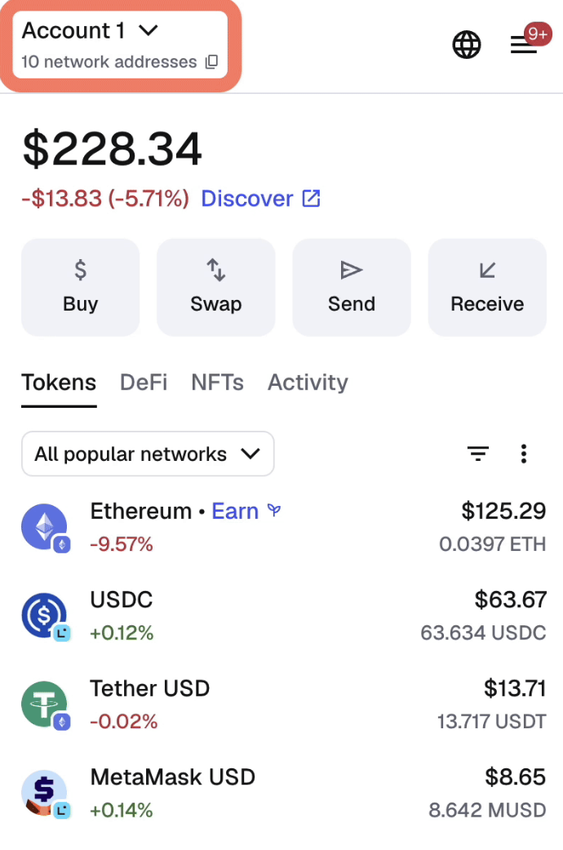
- Click the account dropdown and select "Add wallet."
- Choose "Import a wallet."
- Enter your SRP and complete the import.
• This restores your Bitcoin account (and any EVM/Solana accounts) in one place.
• Note: Private key import for Bitcoin is not yet supported.
Step 3: Find Your Bitcoin Address
• On your Desktop Extension or Mobile:
- Tap the address dropdown under your account name.
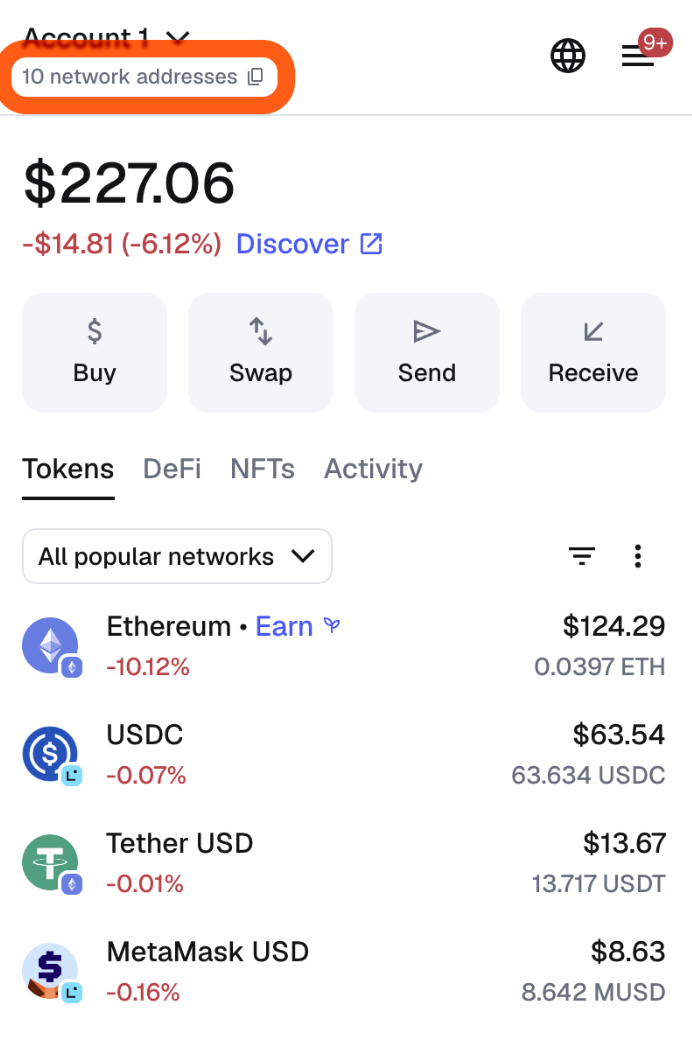
- Select "Bitcoin" from the list.

- Copy the address or view the QR code.
• You can now receive BTC directly from exchanges like BingX or other wallets.
Step 4: How to Buy BTC and Fund Your MetaMask Wallet
Before you can start using your MetaMask wallet, you'll need to deposit some BTC into it.
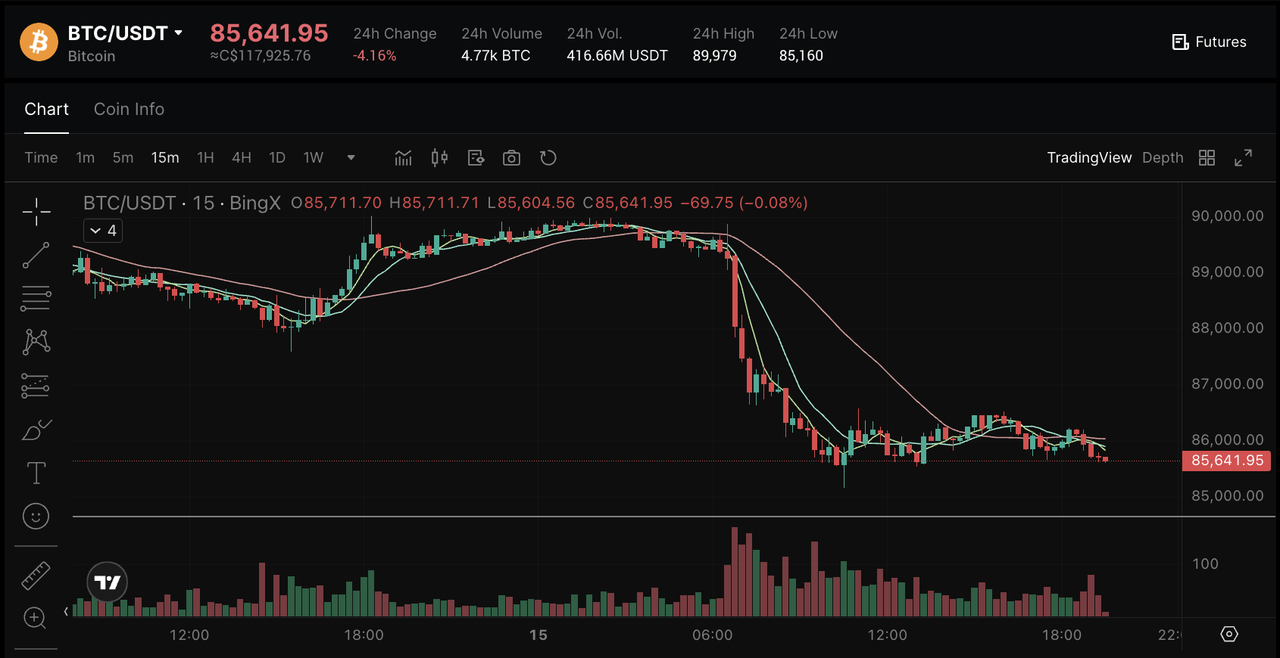
Option A: Buy BTC Directly on the BingX Spot Market
Source: BTC/USDT on BingX Spot Market
If you're just getting started, the easiest way is through BingX, where you can buy Bitcoin instantly and then move it to your personal MetaMask wallet for safekeeping.
Step 1: Buy BTC on BingX: Log in to your BingX account and go to Buy Crypto. Choose how you want to pay: stablecoins like USDT or USDC, card/bank transfer, or P2P. You can use BingX AI tools to get market insights, risk analysis, and trading suggestions. Search for BTC/USDT on the BingX Spot Market and complete the purchase; your BTC will appear in your Funding/Spot wallet on BingX.
Step 2: Store your BTC on BingX: You can store your BTC in your BingX wallet. Beyond storage, BingX gives you quick access to trading features, so you can buy, sell, or convert Bitcoin instantly on the spot market. For more advanced users, the futures market lets you trade BTC with leverage and hedge against price swings. You can also automate your strategy with trading bots, which help manage trades 24/7 without constant monitoring.
On top of that, BingX Earn allows you to generate passive income, and Copy Trading lets you follow top traders without handling strategies yourself. This mix of storage, trading, and automation makes the BingX wallet a practical choice for both beginners and experienced traders.
Step 3: Send your BTC to your MetaMask wallet: If you want to manage your crypto in your MetaMask instead, find your BTC receiving address under the Bitcoin tab in your MetaMask wallet. Copy the address and withdraw from your BingX wallet.
For new investors, the BingX wallet strikes a balance between security and convenience. It's ideal if you're still learning about private wallets and want to focus on buying and using Bitcoin first. Later, as your holdings grow, you can consider moving some BTC into more advanced options like hardware wallets like Ledger for long-term cold storage.
Option B: Swap to BTC on MetaMask Wallet
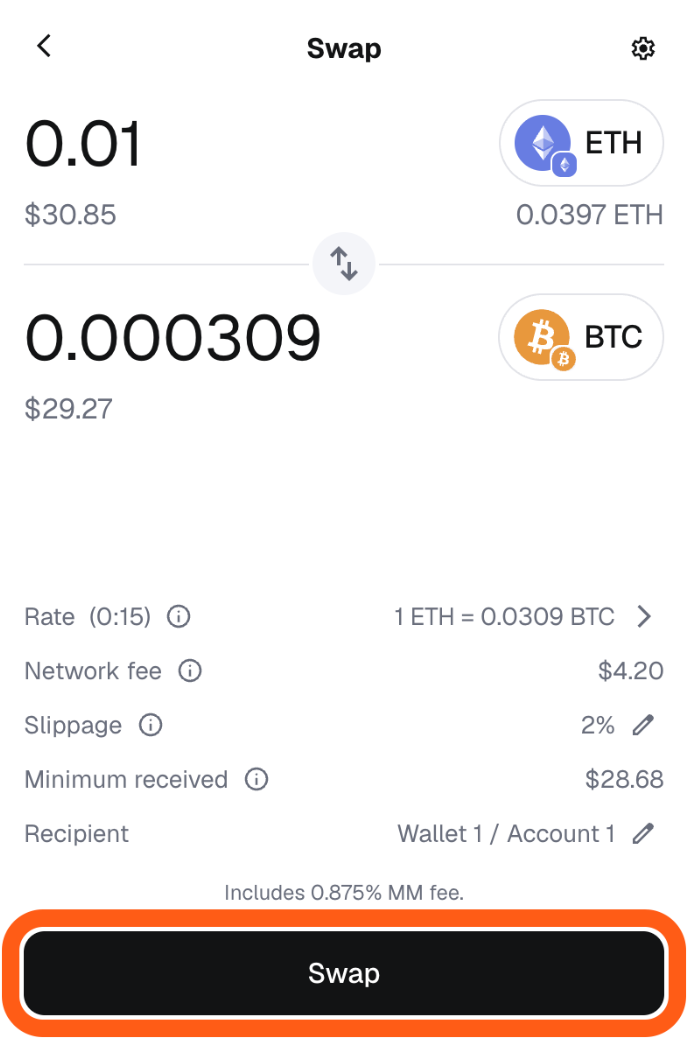
• Click "Swap" on the home screen.
• Select your source token (ex. ETH on Ethereum or a Solana asset).
• Choose "Bitcoin" as the destination network and BTC as the asset.
• Enter the amount, review, and confirm.
• Your BTC balance updates once processed.
Step 5: Send BTC to MetaMask
• Select Bitcoin network in your account view.
• Enter the recipient's address, amount, and review fees.
• Confirm the transaction.
Conclusion
MetaMask's native Bitcoin support represents a pivotal advancement in cryptocurrency wallets, unifying management of the world's largest digital asset with Ethereum, Solana, and EVM ecosystems. This eliminates fragmentation, reduces the need for multiple wallets, and simplifies onboarding for users holding diverse portfolios. While wrapped BTC remains useful for DeFi on EVM chains, direct native BTC handling offers unparalleled convenience for holding, buying, swapping, and transferring. As MetaMask continues to expand its features, it solidifies its role as a cornerstone of self-custodial Web3 finance.