


Solana Seeker (SKR) is the native token of the Solana Mobile ecosystem, designed to power on-chain identity, governance, and utility across its Seeker smartphone platform. Following its Token Generation Event on January 21, 2026, SKR is now available for spot trading on BingX, giving users direct market access to the Solana Seeker ecosystem. As of the same date, Solana’s network holds approximately $8.55 billion in total value locked (TVL), according to DefiLlama, highlighting strong on-chain activity around the SKR launch.
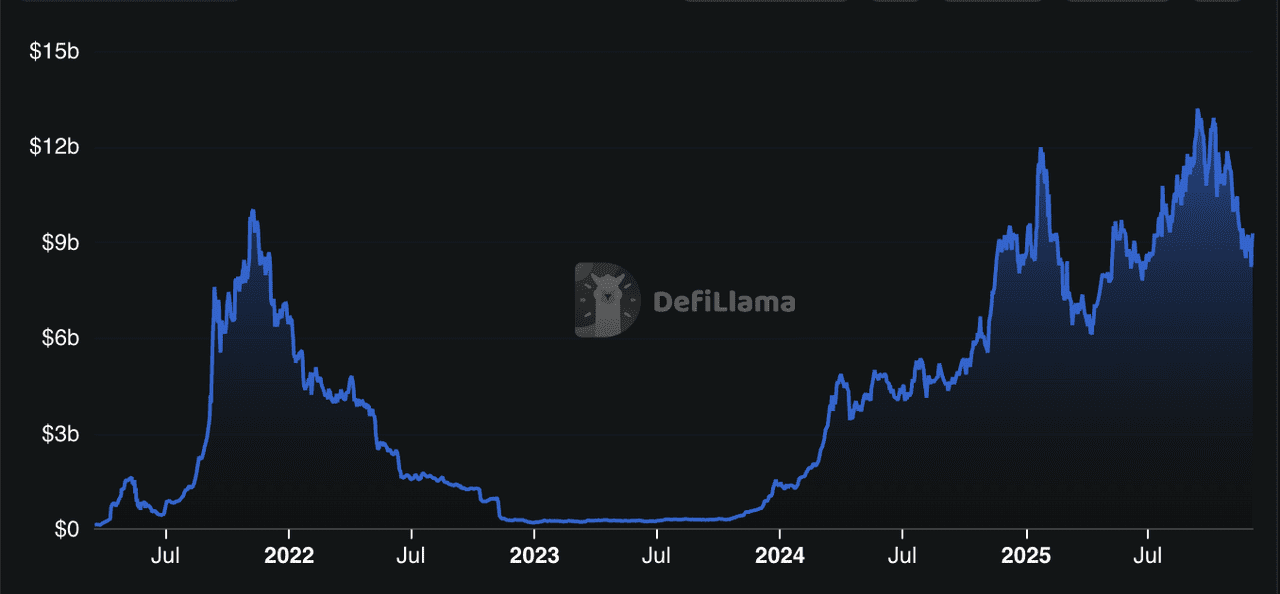
Solana's DeFi TVL | Source: DefiLlama
The Solana Seeker device began global rollout on August 4, 2025, with more than 150,000 preorders shipped to over 50 countries, onboarding a new wave of crypto-native mobile users. SKR token serves as the ecosystem’s core digital asset, supporting governance, incentives, and long-term sustainability. With 175+ decentralized applications and over $100 million in on-chain economic activity already flowing through the Solana Mobile stack, SKR is positioned as the economic backbone of a rapidly expanding mobile Web3 ecosystem.
This article explains what Solana Seeker is, how the SKR token works, details around the airdrop, and how users can participate in and maximize their involvement in the Solana Mobile ecosystem.
What Is the Solana Seeker (SKR) Token?
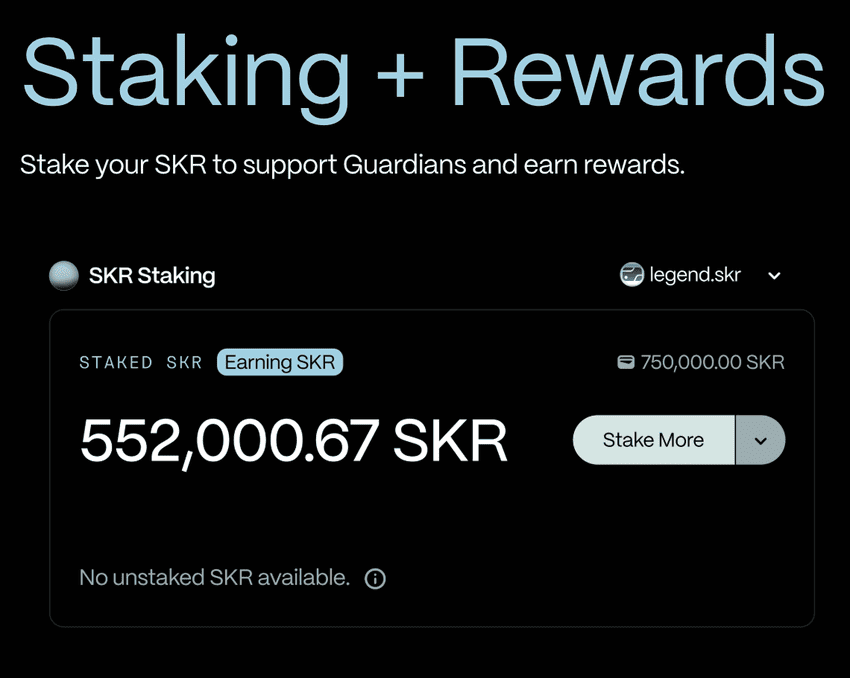
Source: Solana Mobile
SKR is the native cryptocurrency token for the Solana Mobile ecosystem. It is designed to power the mobile Web3 stack by aligning incentives between users, developers, and hardware partners, enabling decentralized governance, economic coordination, and ecosystem-wide ownership. SKR will enable users to participate in ecosystem activities such as staking for security and governance, accessing premium features, rewarding developers and dApp usage, and securing value for hardware partners.
It is also the core token for unlocking certain rights tied to identity and device ownership on Seeker units, linking hardware, software, and blockchain interactions under one unified asset. The SKR token will enable a native economy for mobile Web3 that does not require separate wallets or external bridges; the token is managed directly within the built-in Seed Vault Wallet on Seeker devices or compatible Solana wallets connected to the Solana Mobile stack. SKR officially launched on January 21, 2026, activating its role as the core economic and governance token of the Solana Mobile ecosystem.
According to recent updates from Solana Mobile on X, Seeker Season drew over 100,000 participants, generating 9 million transactions and $2.6 billion in volume across more than 265 dApps. This strong on-chain engagement paves the way for the SKR token launch, enabling Solana Mobile to evolve its ecosystem from hardware-focused devices into a community-driven platform powered by token incentives, staking, and decentralized governance.
What Is the Solana Seeker (SKR) Airdrop and When Is It Happening?
The SKR airdrop took place on January 21, 2026, coinciding with the token’s Token Generation Event (TGE). On that date, 30% of the total 10 billion SKR supply was unlocked for distribution to qualifying participants. Eligible recipients will likely include Seeker owners, active users of the Solana Mobile dApp Store, developers building mobile-native applications, and possibly early community contributors as determined by Solana Mobile governance.
The airdrop aims to reward early adoption, stimulate ecosystem growth, and ensure broad distribution of SKR across hardware users and software contributors. Because the Genesis Token and user identity are bound to Seeker devices, holders of those devices are positioned to receive allocations, but precise criteria for participation have not been fully disclosed; users are encouraged to maintain active usage, link their Seeker ID in the Seed Vault Wallet, and engage with dApps to maximize eligibility before the airdrop goes live.
SKR Airdrop Launch and Structure
Solana Mobile has confirmed the SKR token launch for January 21, 2026, at 2:00 a.m. UTC (equivalent to January 20 at 9:00 p.m. ET). The token features a fixed total supply of 10 billion SKR. A snapshot for airdrop eligibility has already been taken following the conclusion of Seeker Season 1, which saw over 100,000 participants, 9 million transactions across 265+ dApps, and $2.6 billion in volume.
• 20% of the supply (2 billion SKR) is reserved specifically for early ecosystem supporters, including Seeker device users and developers. This portion will be distributed via airdrop and fully unlocked at launch.
• Overall, 30% of the total supply is allocated to airdrops and community incentives, with the initial drop focusing on rewarding proven on-chain mobile activity.
This fully unlocked airdrop structure is designed to bootstrap immediate participation, staking to Guardians, governance, and network security right from TGE, while aligning long-term incentives for the decentralized mobile ecosystem. Note that owners of the previous Saga phone are not eligible for this SKR airdrop.
Seeker Season 2 is now live, offering ongoing opportunities to boost activity for potential future rewards. More details on the claim process and allocations are coming soon. For full tokenomics, visit solanamobile.com/skr.
How to Claim the SKR Airdrop on Solana Seeker: Complete Step-by-Step Guide
Source: Solana Floor
The SKR token airdrop is one of the most anticipated rewards for Solana Seeker phone holders and active ecosystem participants. Follow this exact, up-to-date process to safely claim your free SKR tokens without falling for scams:
Step 1: Use Only Your Seeker Phone (No Websites Required)
The SKR airdrop does not use any external website or portal. You should not click links, connect wallets, or visit claim pages. Any message asking you to do so is a scam. All SKR claims happen directly on the Solana Seeker phone, as confirmed by Solana Mobile.
Step 2: Open Seed Vault Wallet on Your Seeker
Unlock your Seeker phone and open the Seed Vault Wallet. Tap the Activity Tracking or menu section (right-side wallet controls). Your eligible airdrops, including SKR, will appear automatically if you participated in Seeker Season 1.
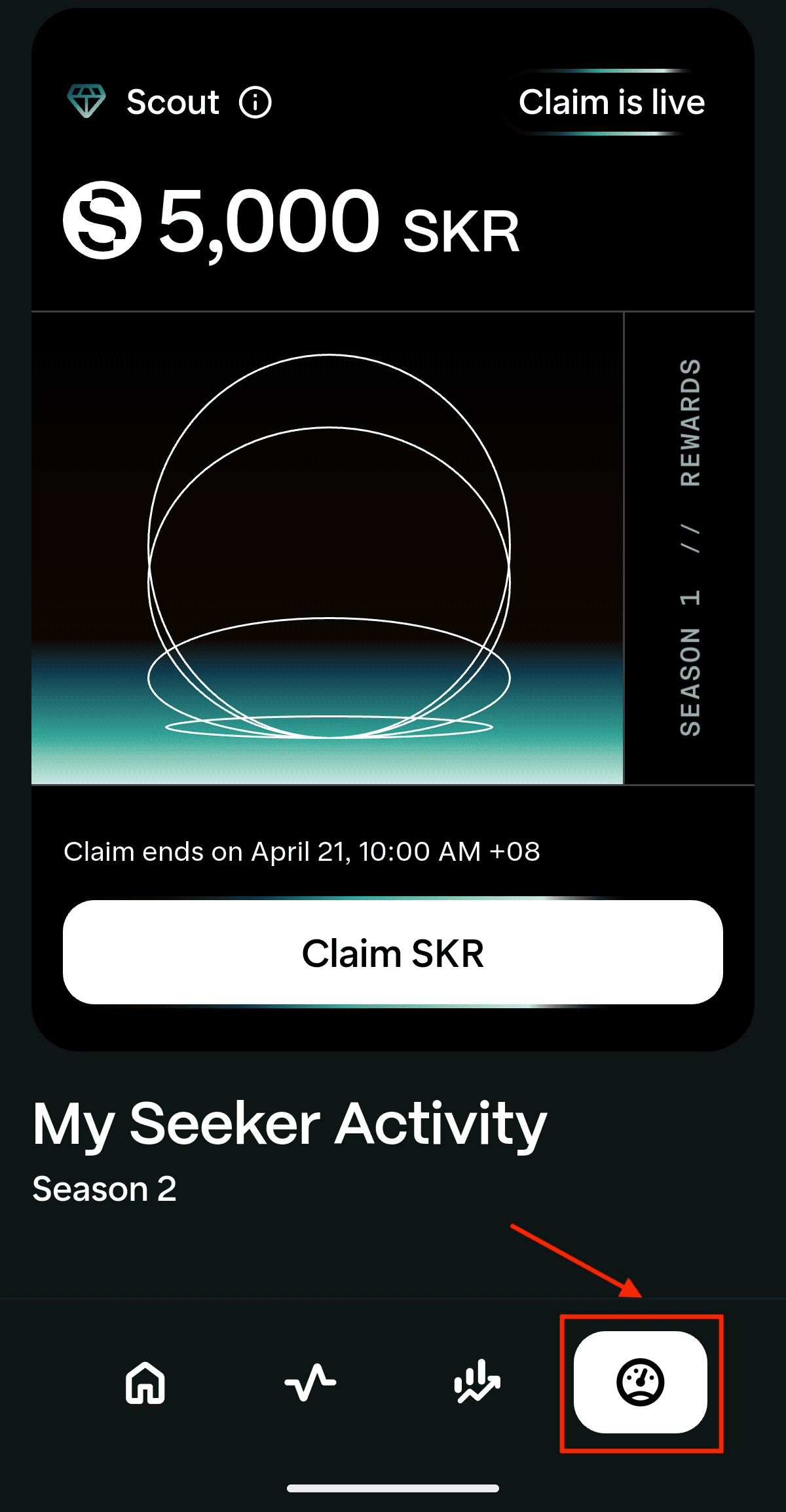
Step 3: Confirm Your SKR Allocation
Once inside Activity Tracking, your exact SKR allocation is shown instantly. Eligibility is based on Seeker device usage, on-chain activity, and ecosystem participation. No wallet connection, NFT check, or manual verification is required.
Step 4: Ensure You Have SOL for Fees
Before claiming, make sure your wallet holds around 0.001–0.01 SOL. This covers the Solana network transaction fee. Without SOL, the claim will fail. You can buy SOL tokens on BingX and fund your wallet before claiming the Seeker airdrop.
Step 5: Claim SKR and Receive Tokens Instantly
Tap “Claim SKR” and approve the transaction. SKR is credited directly to your Seed Vault Wallet. From there, you can stake immediately, hold, or transfer SKR to an exchange like BingX for trading.
How to Maximize Your $SKR Allocation in the Solana Seeker Airdrop
Source: SolanaMobile
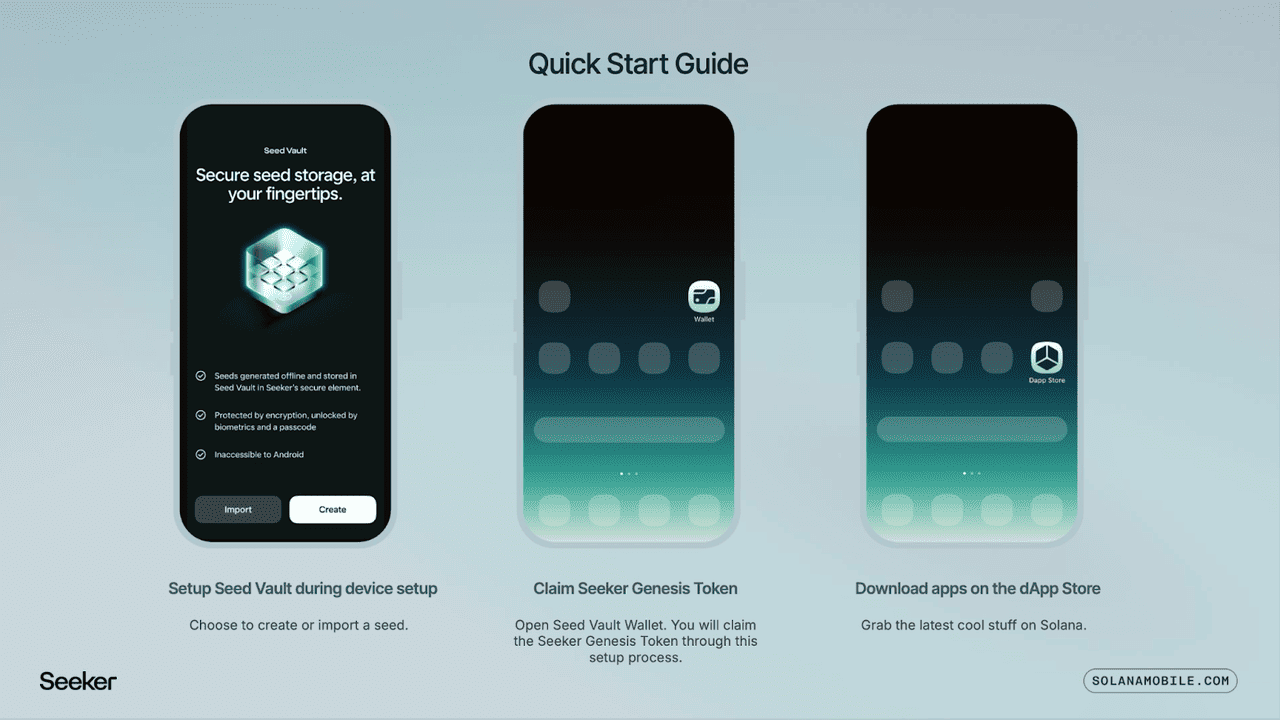
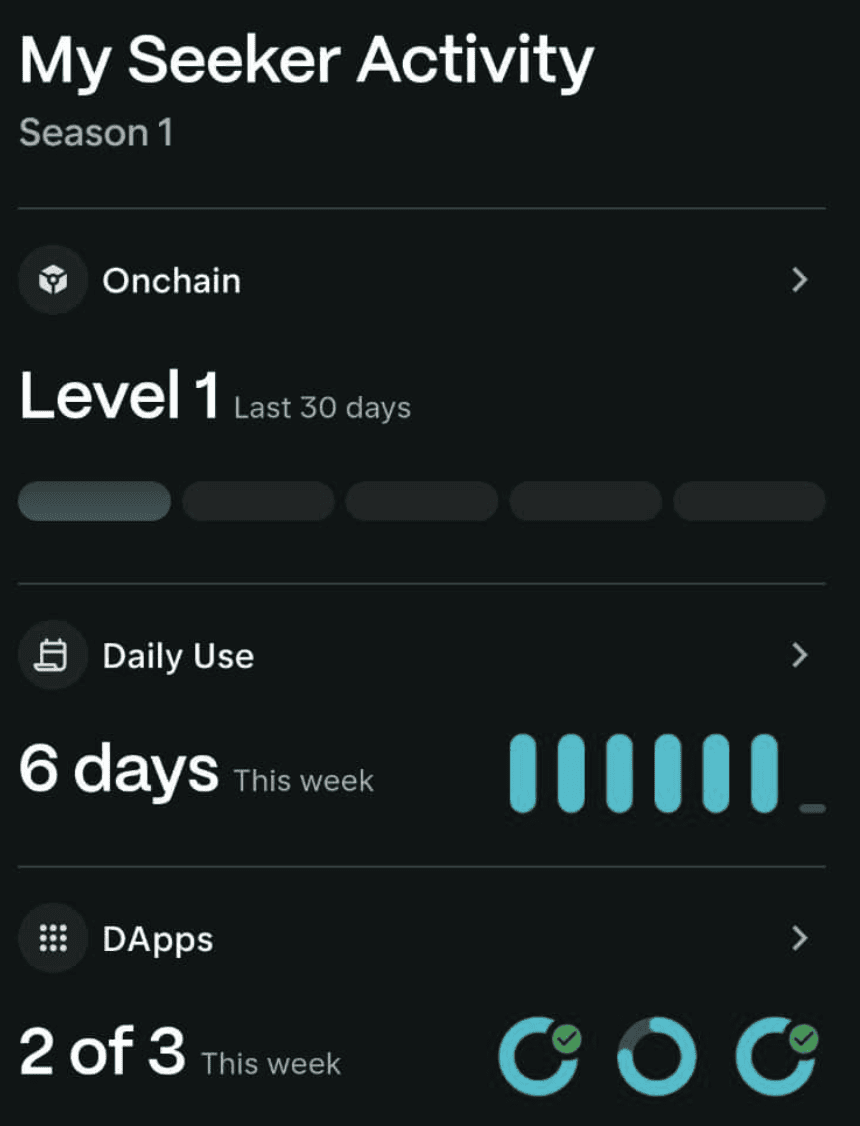
To maximize your SKR allocation, you should first ensure your Seeker device is activated and your Genesis Token is registered in the Seed Vault Wallet. Next enables any usage tracking feature such as the "Seeker Activity Tracker" that Solana Mobile recently introduced to monitor on-chain activity, dApp interactions, and daily usage. Engage consistently with the Solana Mobile dApp Store by using decentralized apps, participating in decentralized finance (DeFi), DePIN, NFTs or gaming, and prefer apps that are marked as "featured" or "mobile native", since early activity may factor into airdrop eligibility.
Solana Seeker has an integrated marketplace with 100+ Solana-native apps across DeFi, NFTs, gaming, AI, and DePIN, with more launching during Seeker Season. Developers or users who contribute to ecosystem growth, for example, by building dApps, testing features, providing feedback, or referring to other users, are likely to receive higher allocations under the growth and partnership portion of the distribution pool. Keep your wallet active, maintain regular transactions, use new dApps weekly, and avoid long periods of inactivity, so your usage footprint remains visible. Finally, stay up to date with official announcements from Solana Mobile since some allocations may depend on the on-chain snapshots or behavior metrics taken shortly before the airdrop launch on January 21, 2026.
Before chasing those green ticks, double-check one critical setting in your app:
Open your Seed Vault Wallet → go to Settings → Solana Mobile Usage and Diagnostics → make sure the toggle is switched ON.
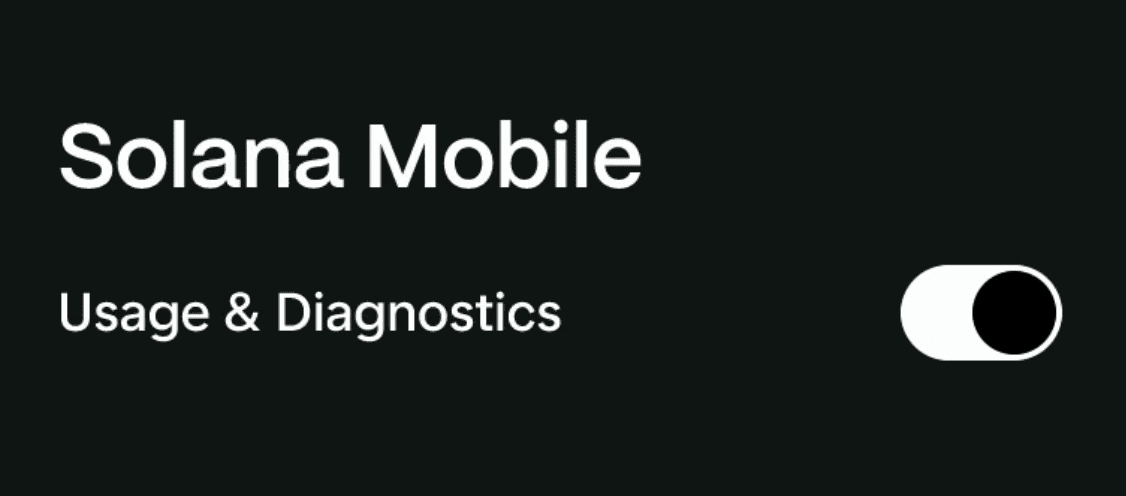
This is the only way the Seeker phone can accurately track your daily usage, dApp activity, and "New Things" for weekly scoring and SKR rewards.
How to Earn More SKR Rewards in the Seeker App

Source: X
• Stay Active on the Seeker App Daily: Regular DeFi, NFT, and dApp usage on your Seeker phone directly boosts future allocations. While maxing your daily on-chain activity and phone usage is easy (just use your Seeker like normal), getting consistent green checkmarks in the "dApps" category every week is more difficult. There's no farming, no shortcuts, and no way to fake it. The only thing that actually works is genuine curiosity: exploring new protocols, trying DeFi tools, minting NFTs, and playing games inside the ecosystem. Stay curious, and the green ticks next to the circles will follow.
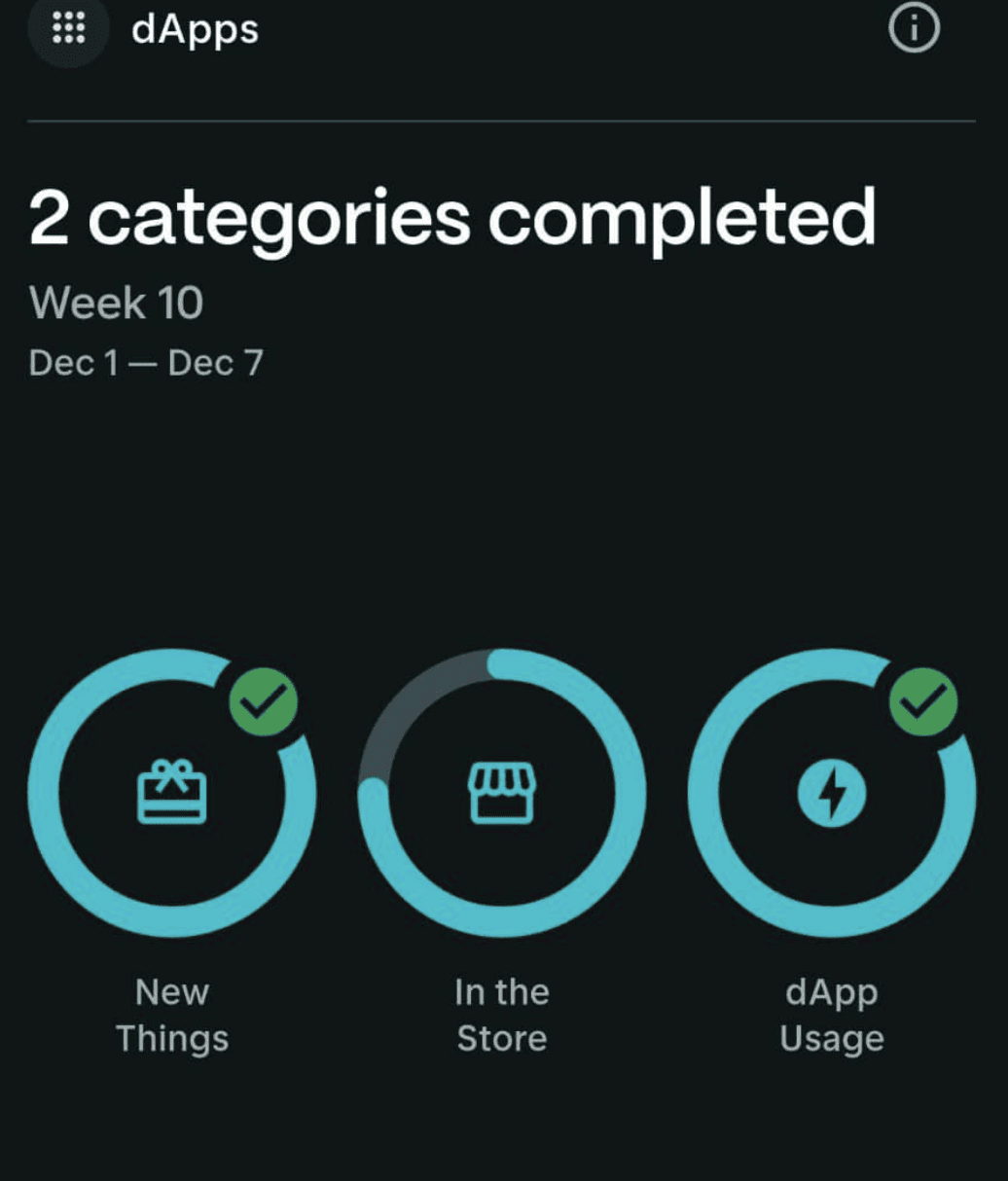
• Join Every New Season and Campaign: Limited-time quests often come with huge bonus multipliers.
• Stake Your SKR (When Staking Goes Live): Staking almost always increases ranking and rewards.
• Follow Only Official Channels for Updates: Solana Mobile website, blog, @solanamobile on X, official Discord/Telegram.
• Use Trusted Trackers for Reminders: Always re-verify every link with the official source before connecting your wallet.
• Check "New Things" on the Featured Carousel Daily: As the name says, the "New Things" category rewards you for actually trying new stuff. New apps and games drop in the Solana dApp Store almost daily, so the easiest habit is to open the store every day and check what's fresh.
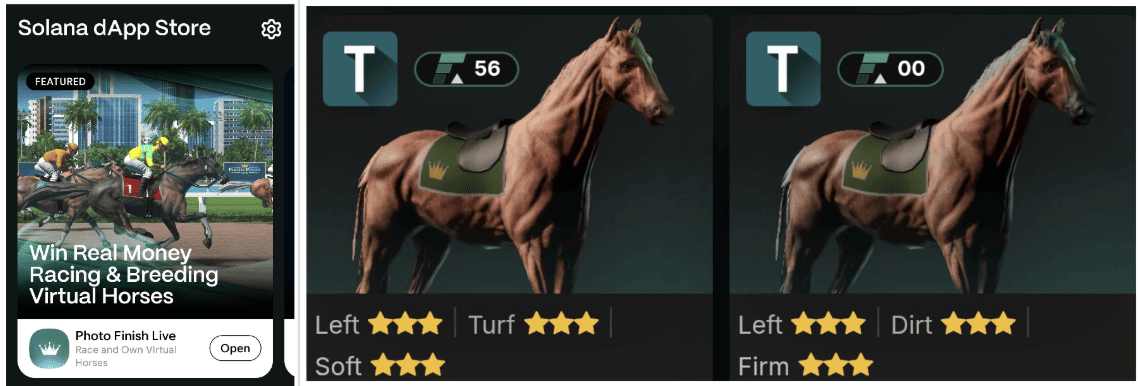
Follow these exact steps to safely claim every SKR drop you deserve and set yourself up for even bigger future airdrops.
How to Trade Seeker (SKR) Tokens on the BingX Spot Market
Following its Token Generation Event on January 21, 2026, Solana Seeker (SKR) has officially entered open market trading and is now available on the BingX Spot Market. Whether you missed the original airdrop and are looking to gain exposure, or you received SKR through the airdrop and want to trade, rebalance, or take profits, BingX provides a direct venue to buy and sell SKR via spot trading.
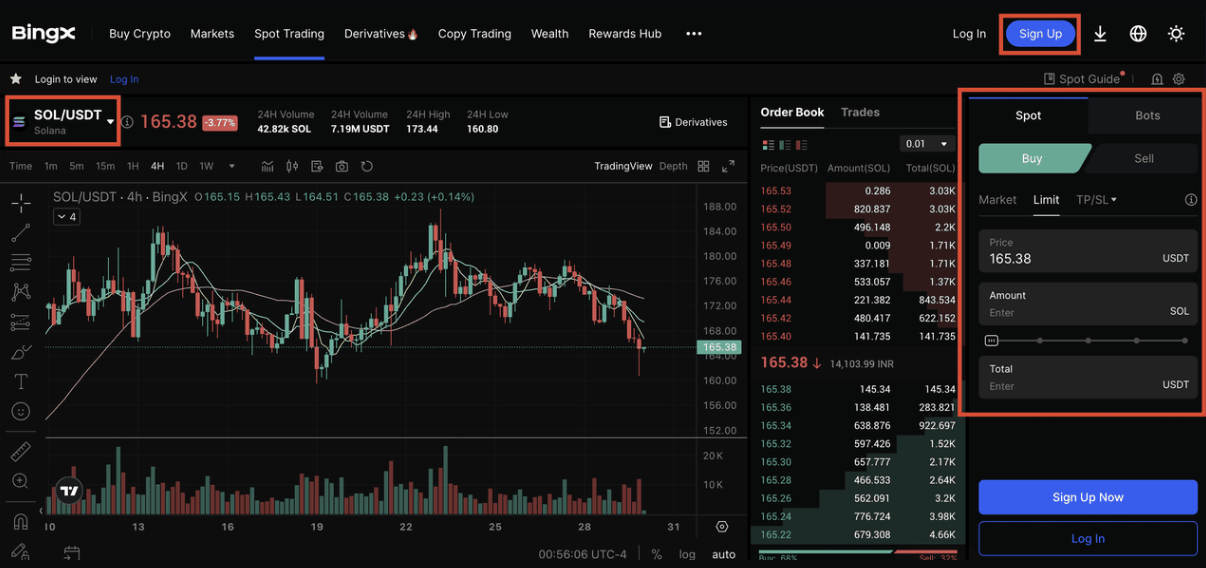
Trading SOL on BingX spot market
With SKR now live on BingX, users can freely access liquidity, manage their positions, or enter the Solana Seeker ecosystem at market prices, independent of device ownership or airdrop eligibility. This marks the transition of SKR from a distribution-focused launch phase into an openly traded asset within the broader crypto market.
Here's a step-by-step guide on how to buy SKR on BingX:
Step 1: Log in or Create a BingX Account
Log in to your BingX account. If you’re new to the platform, you can register using an email address or mobile number. Completing identity verification (KYC) is required for full access to spot trading features.
Step 2: Deposit Funds
Go to the Buy Crypto section to deposit funds into your account. BingX supports several payment options such as bank transfer, credit or debit card, and peer-to-peer (P2P) transactions.
Step 3: Find the SKR/USDT Trading Pair
Go to the Spot trading section and search for SKR/USDT. Select the pair to open the trading interface, where you can view price charts and order book data. Use BingX AI tools to analyze Seeker trends and make smarter trading decisions.
Step 4: Place Your Order
Choose between a Market Order to buy at the current price or a Limit Order to set your preferred entry. Enter the amount and confirm the order.
Conclusion
With Solana Seeker now live, claiming your SKR airdrop and stacking future rewards comes down to three simple habits: always use official links, stay active on your Seeker phone, and explore new dApps with genuine curiosity. Enable Usage & Diagnostics once, check the dApp Store and Featured carousel regularly, and try newly launched apps as they appear. The system is designed to reward consistent, real usage rather than short-term grinding, so natural engagement matters more than volume.
By following the steps in this guide and keeping your wallet secure, Seeker users can claim their SKR allocations while positioning themselves for future rewards across upcoming seasons. As long as users remain active, follow ecosystem announcements, and participate in governance and growth, SKR has the potential to become a core layer of mobile identity and decentralized finance within Solana Mobile’s open mobile platform.